Description
Introduction
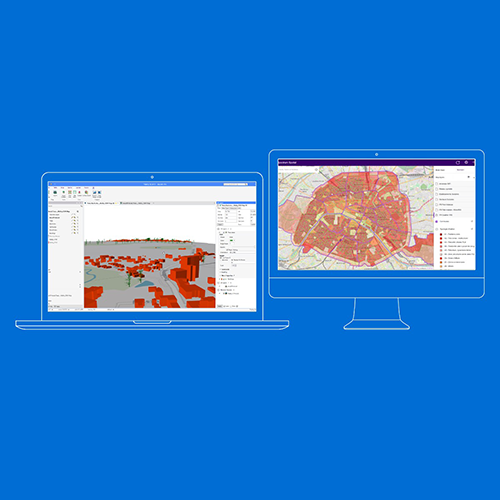
This 5-day training course provides participants with comprehensive knowledge and hands-on experience in MapInfo Professional, a powerful GIS software for mapping and location analysis. Participants will learn how to visualize, analyze, edit, and interpret spatial data, uncovering relationships, patterns, and trends. The course covers essential functionalities, database management, raster and vector data handling, SQL selections, and advanced mapping techniques.
Course Duration 📅 5 Days
Target Audience 👥
- GIS professionals
- Cartographers
- Environmental scientists
- Urban planners
- Spatial data analysts
- Anyone interested in GIS applications.
Course Level 🎓 Advanced
Course Objectives
By the end of this course, participants will be able to:
✅ Understand GIS functions, applications, and components.
✅ Organize and manage GIS databases efficiently.
✅ Work with raster and vector layers in MapInfo.
✅ Import external databases and perform table joins.
✅ Manage attributes and perform SQL selections.
✅ Create and analyze vector data with advanced techniques.
✅ Integrate MapInfo with external relational databases.
Modules
Module 1: Introduction to MapInfo and GIS 📌 Introduction to GIS and its applications
📌 How GIS works and its core functions
📌 Overview of MapInfo software and its interface
📌 Understanding vector objects (point, polyline, polygon)
📌 Case Study: Real-world applications of MapInfo in spatial analysis
Module 2: Getting Started with MapInfo 📌 Opening, saving, and managing MapInfo workspaces
📌 Navigating different windows, menus, and tools
📌 Understanding coordinate systems and projections
📌 Measuring distances and interacting with attribute data
📌 Hands-on Exercise: Creating and managing MapInfo tables
Module 3: Standard GIS Operations 📌 Layer and legend control in MapInfo
📌 Labeling and displaying attribute data on maps
📌 Thematic mapping and analysis
📌 Page layout and cartographic design
📌 Working with raster layers and imagery
📌 Case Study: Applying GIS techniques for urban planning
Module 4: Advanced Data Management 📌 Importing external databases (Excel, Access, PostGIS)
📌 Performing table joins and data structuring
📌 Attribute management and SQL selections
📌 Advanced thematic analysis and export options
📌 Real-Life Project: Conducting a GIS-based spatial analysis
Module 5: Advanced Raster and Vector Data Handling 📌 Georeferencing raster imagery
📌 Adding Bing Maps and OpenStreetMap layers
📌 Advanced SQL queries and spatial filtering
📌 Linking multiple tables and merging datasets
📌 Hands-on Exercise: Creating a multi-layered GIS project